
AI Photo Editor
AI Photo Editor brings professional photo editing to everyone — one-click cleanup, background removal, portrait retouch, sky replacement, filters and intelligent color correction powered by smart AI.
Feedback
AI Tools
Explore AI tools

Free AI Image
Truly Free AI Image Generator
Text To Image
Create stunning designs with AI

AI Image Editor
AI Photo Editor Online

Image Upscaler
Enhance image resolution effortlessly

Image Background Remove
Remove image backgrounds easily
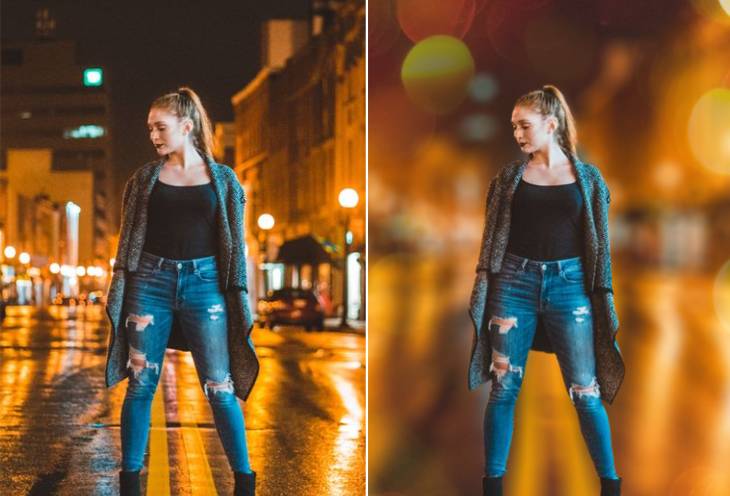
AI Background Blur
Instantly blur image backgrounds for a professional look

AI Background Change
Change image backgrounds instantly
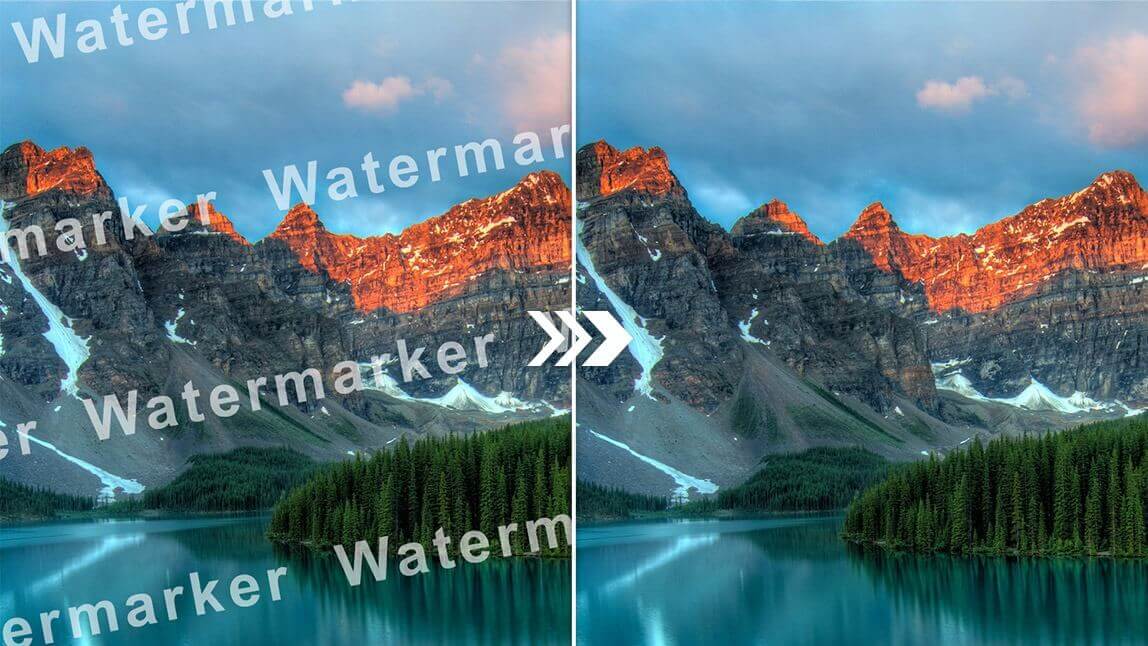
AI Watermark Remover
Remove watermarks from images instantly
Why AI Photo Editor
AI Photo Editor makes advanced editing simple: remove backgrounds, erase distractions, replace skies, retouch portraits and apply creative filters in one click. Fast, intuitive and designed for creators and commerce, AI Photo Editor delivers professional results without a steep learning curve.
- One‑Click FixesAuto-correct exposure, color and sharpness instantly with AI Photo Editor.
- Remove & ReplaceErase unwanted objects or swap skies seamlessly using the AI Photo Editor tools.
- Portrait RetouchSmooth skin, enhance features and refine portraits quickly with AI Photo Editor.
How to Use AI Photo Editor
Three simple steps to edit with AI Photo Editor: upload, enhance and download — fast, guided editing for every skill level.
AI Photo Editor Features
Built for speed and precision, AI Photo Editor offers one-click corrections, object removal, sky replacement, portrait retouching, filters and photomontage tools so anyone can create polished images in seconds.
Remove Unwanted Elements
Instantly erase photo-bombers, wires or distractions with the AI Photo Editor magic eraser.
Background & Sky Replacement
Change backgrounds or replace skies in a single click using AI Photo Editor's smart selection tools.
Portrait Enhancements
Retouch skin, whiten teeth and adjust facial features quickly with AI Photo Editor's portrait tools.
Creative Filters & Overlays
Apply trendy filters, textures and artistic overlays to give photos a unique look with AI Photo Editor.
Batch Processing
Edit multiple photos at once for consistent e-commerce shots using AI Photo Editor's batch tools.
Easy Export & Share
Save HD images or share optimized files for social platforms directly from AI Photo Editor.
AI Photo Editor FAQ
Quick answers about AI Photo Editor.
What is AI Photo Editor?
A smart photo editing tool that automates corrections, retouching and creative effects.
What can I make?
Product shots, portraits, landscape edits and social-ready images using AI Photo Editor.
How fast?
Many edits apply instantly; complex retouches complete in under a minute with AI Photo Editor.
Can I download?
Yes — export HD images or share optimized versions for web and social from AI Photo Editor.
Business use?
Absolutely — AI Photo Editor supports batch processing and consistent output for e-commerce and marketing.
Why choose it?
Easy, accurate and affordable editing — AI Photo Editor removes the complexity from professional image creation.
Create with AI Photo Editor
Turn ideas into polished photos fast with AI Photo Editor — professional edits without the learning curve.